The cart is empty
 Our Instructors










- Create an app shortcut which goes directly to our special app timetable page.
- Only takes 3 simple steps
1. Visit our specially designed timetable page.
2. Click on the "Expand" button at the bottom of the screen.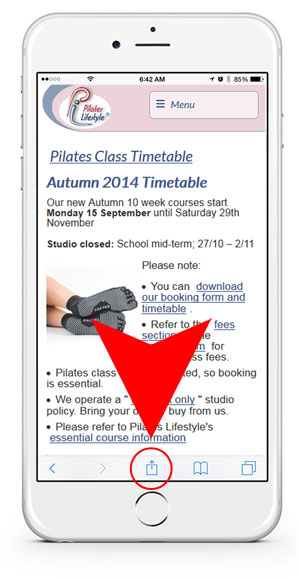
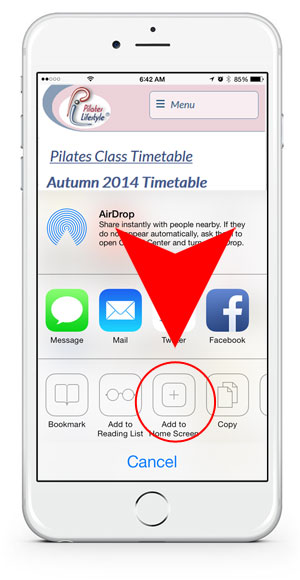
3. Click on the "Add to Home Screen" button.
A shortcut to this timetable page will now be added to an empty slot on your iPhone.
If you want, change the shortcut wording to "Timetable" and it's done.